When work runs through TotalAgility, hidden bottlenecks and operational blind spots quietly burn time and margin. AgilityReporting™ is CDIT's browser-based reporting workspace for environments that use Tungsten TotalAgility® — process intelligence and capture insights in one place, without assembling another spreadsheet.
Overview
AgilityReporting complements TotalAgility rather than replacing it. You keep your existing processes and capture flows, and add a focused layer for measurement and communication: clear charts and tables, consistent navigation, exports for meetings and audits, and optional scheduled emails so people who do not live in the workspace still receive timely numbers.
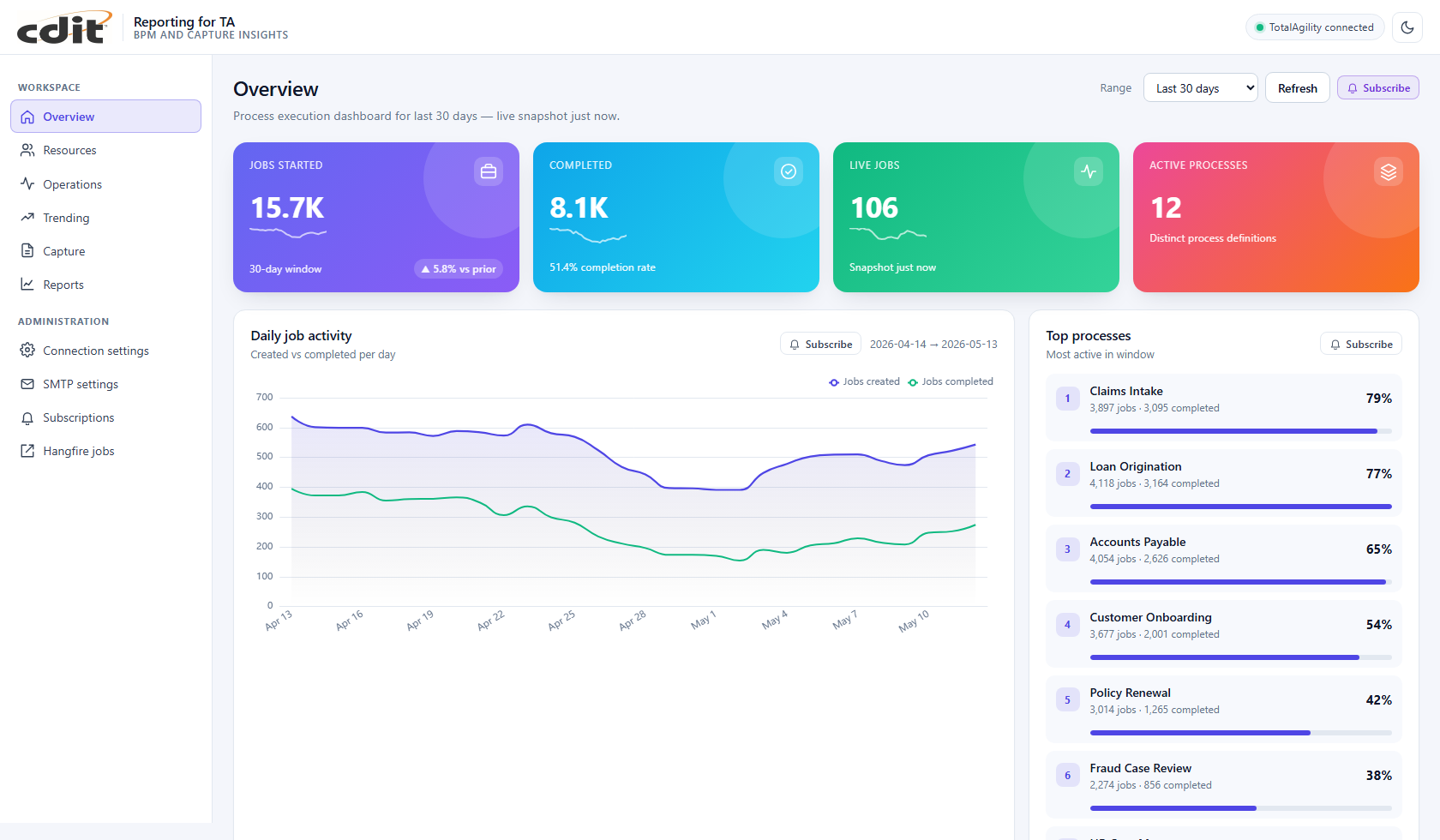
Overview — jobs started, completed, live work, and process health for the selected window.
See the big picture
Instant snapshots of job volume, process health, and capture signals — without manual assembly. Operations leaders, process owners, and capture managers share the same workspace.
Act earlier on pressure points
Backlog, wait time, late completions, and workload imbalance become visible while you can still steer — not after the backlog lands.
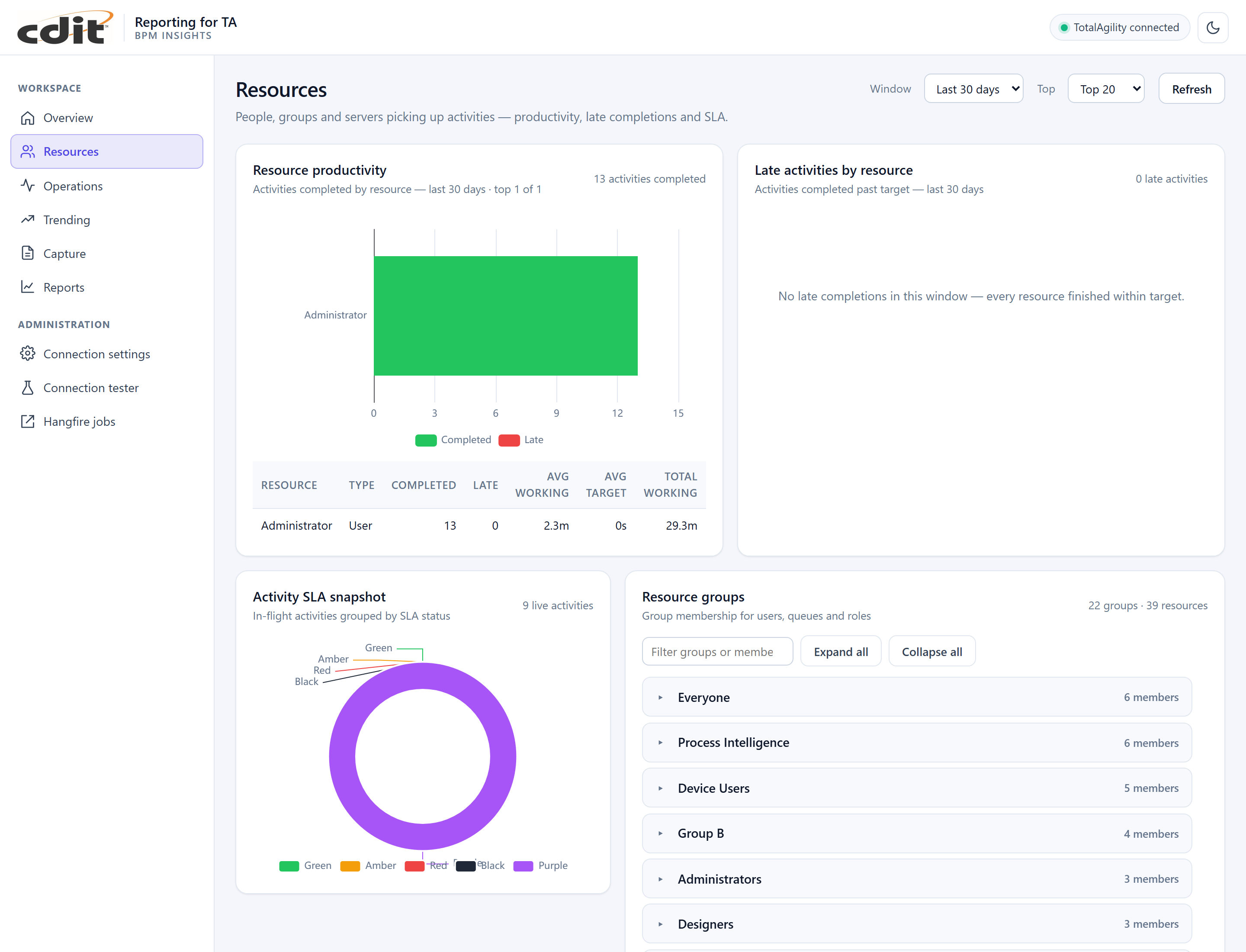
Resources — productivity, late activities, SLA status, and resource groups.
Capture insights when you connect the dataset
Document classes, pages, operator productivity, extraction versus validation effort, and export funnels sit alongside BPM reporting so capture managers are not in a separate tool.
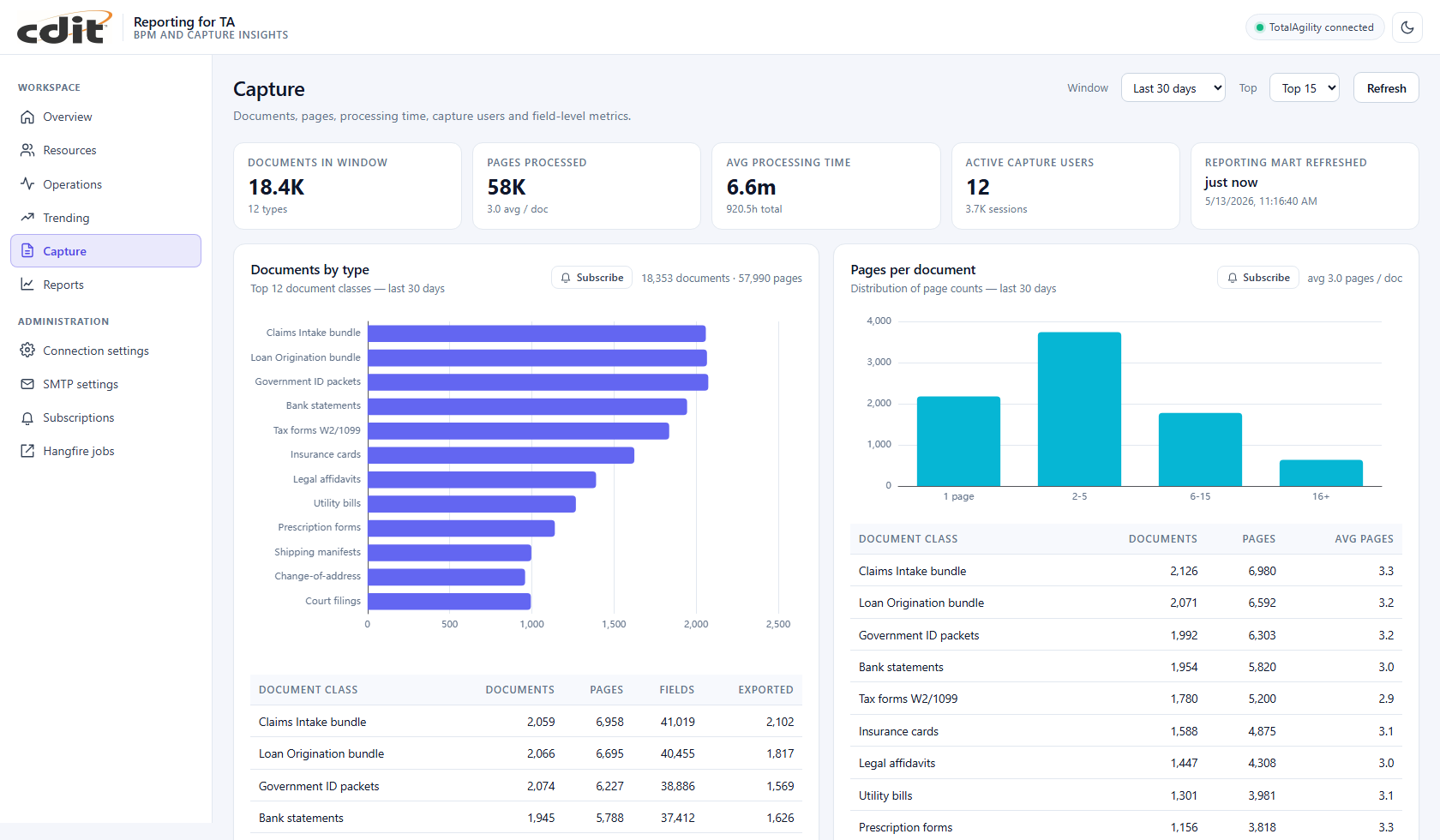
Capture — documents, pages, processing time, and field-level metrics.
Full catalog, exports, and scheduled briefings
Choose a report, set the time window, pick a chart style where applicable, and export to PDF or Excel. Subscriptions can deliver recurring results to mailboxes with attachments — including a merged overview package for leadership.
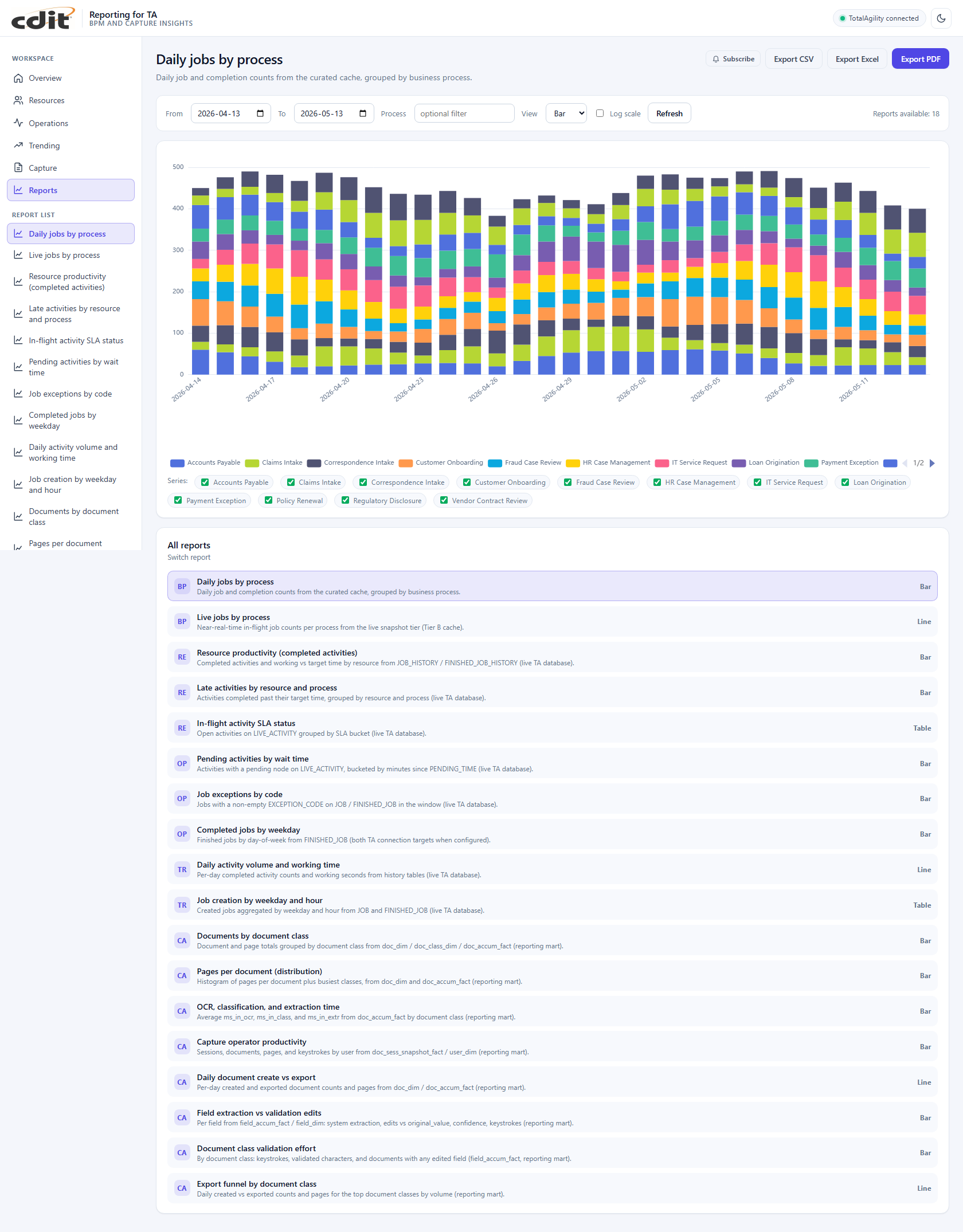
Reports — catalog of BPM, resources, operations, trending, and capture reports with export.
Workspace modules
| Module | What you use it for |
|---|---|
| Overview | Big-picture snapshot: jobs, processes, activity, and whether capture reporting is available. |
| Resources | Who is doing the work: productivity, late completions, groups, and in-flight service expectations. |
| Operations | Day-to-day pressure points: backlog and wait behavior, exception reasons, completion patterns. |
| Trending | How volumes and effort move over time, and when work tends to be created. |
| Capture | Document and operator-oriented insights when your organization connects the capture reporting dataset. |
| Reports | Full catalog: choose a report, set the window, pick a chart style, and export. |
Simpler rollout for IT
Delivery is a single Windows installer with a configuration wizard, rather than a long checklist of loosely coupled components. Your IT team maintains database connections; end users work in the workspace without managing those settings.
Contact us today to see AgilityReporting against your TotalAgility processes.
We will be pleased to discuss fit, timeline, and a tailored walkthrough.